Overview
The Trust and Safety System in VRChat helps users control their social experience and interactions. It includes Trust Ranks, Safety Levels, and moderation tools to maintain a safe environment.
Trust Ranks
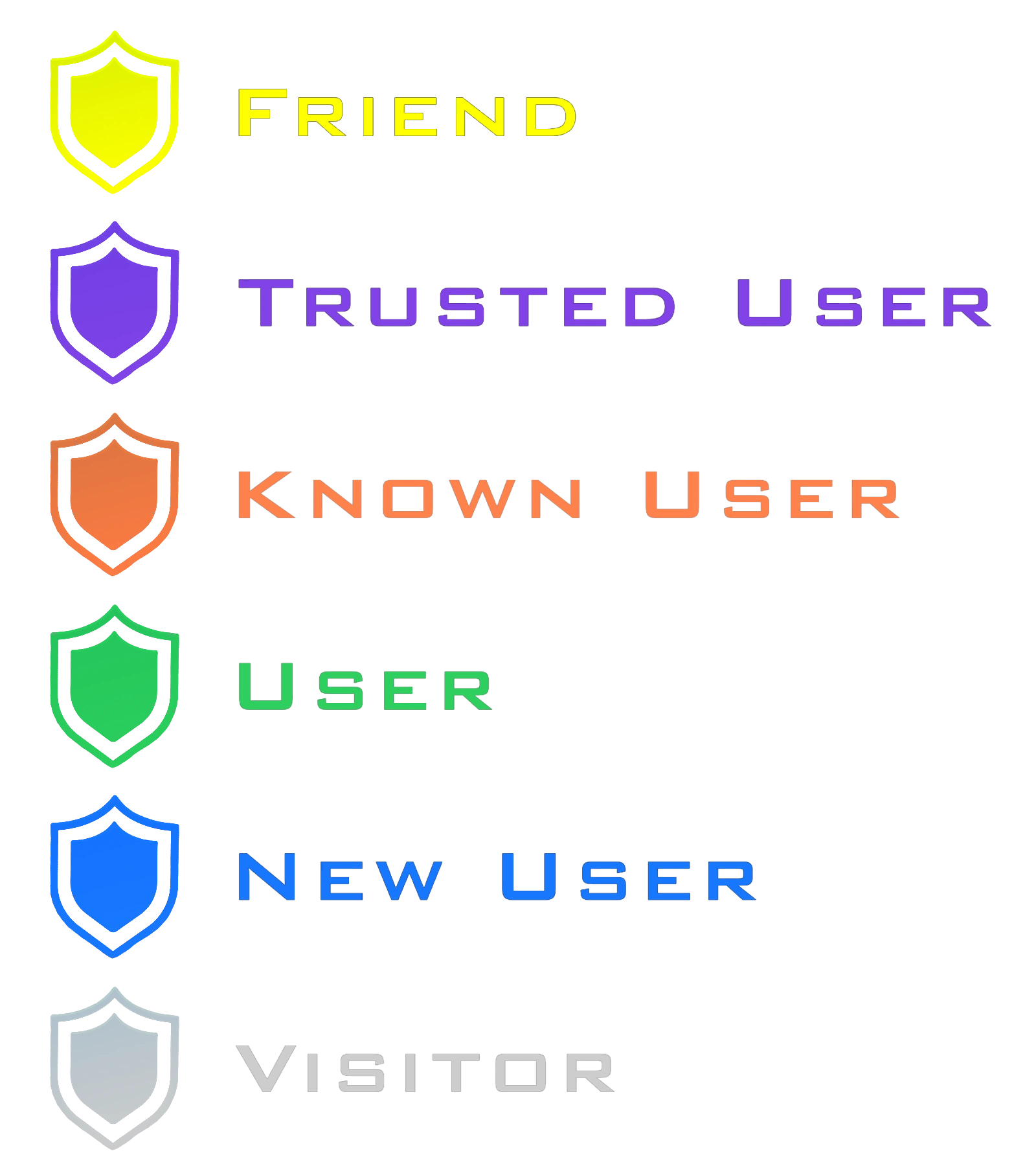
The Trust Ranks are split-up to multiple different level, with some Ranks restricting interaction with VRChat.
- Visitor – New accounts with limited access cannot upload content.
- New User – Earned after a few hours of activity; basic interactions enabled.
- User – Standard rank for regular users can upload content.
- Known User – Trusted by the system for consistent activity.
- Trusted User – Long-term contributors recognized for good behavior; can moderate spaces and upload content freely.
- Friends - If a person is being added as a friend, the trust rank will be replaced with the friend rank.
Safety Levels
- None – No restrictions.
- Normal – Standard VRChat safety features active (blocks avatars, mutes users, limits interactions).
- Maximum – Restrictive blocks all unsafe avatars and content.
- Custom – User-defined settings to adjust personal safety preferences.
Notes
The Trust and Safety system works alongside user reports and moderation tools to help prevent harassment or inappropriate content. Users can adjust safety levels to suit their comfort while exploring worlds or interacting with others. [1]
Also to mention, the “VRChat Team” rank identifies users who are verified members of the official VRChat staff and have elevated trust status within the platform. [1]
You rank up in VRChat by spending time in worlds, interacting with other players, adding friends naturally, and optionally uploading avatars or worlds, as the system rewards consistent and genuine activity over time. To avoid getting stuck, don’t rely on AFK farming, spamming friend requests, or mass-uploading low-effort content, since these behaviors either don’t help or can negatively affect your trust progression. [1]